I finally learned what html is and how it's relevant to making websites. I think for me the best way to learn is through video instruction. So I learned on teamtreehouse.com and then I practiced both at teamtreehouse and codeacademy. I like codeacademy because of the three-plan view because visually I can see how instruction leads to application which leads to output.
Here are my notes from teamtreehouse's html course:
Intro to HTML and CSS (Languages)
Hypertext Markup Language
CSS (Cascading Style Sheet)
HTML structures a site with a set of tags <tag> </tag> … like a blue print
CSS … what we content to look like … color, highlight color, and etc
H1 to H6 … controls heading and comes with default sizes
Class?
Other Technologies
Front End: HTML/CSS/Javascript
Back End: Python, Ruby, Java work with database to save, change , and store data
Javascript… adds interactivity like slideshow and etc.

Inside body box:
Header
Main
Footer
<!doctype html>
Is the only thing outside of <html> and </html> tags… it lets browser know that you’re asking it to display an html document
<head> tag
Has a lot of invisible information about the page such as
<title> changes what browser tab views
<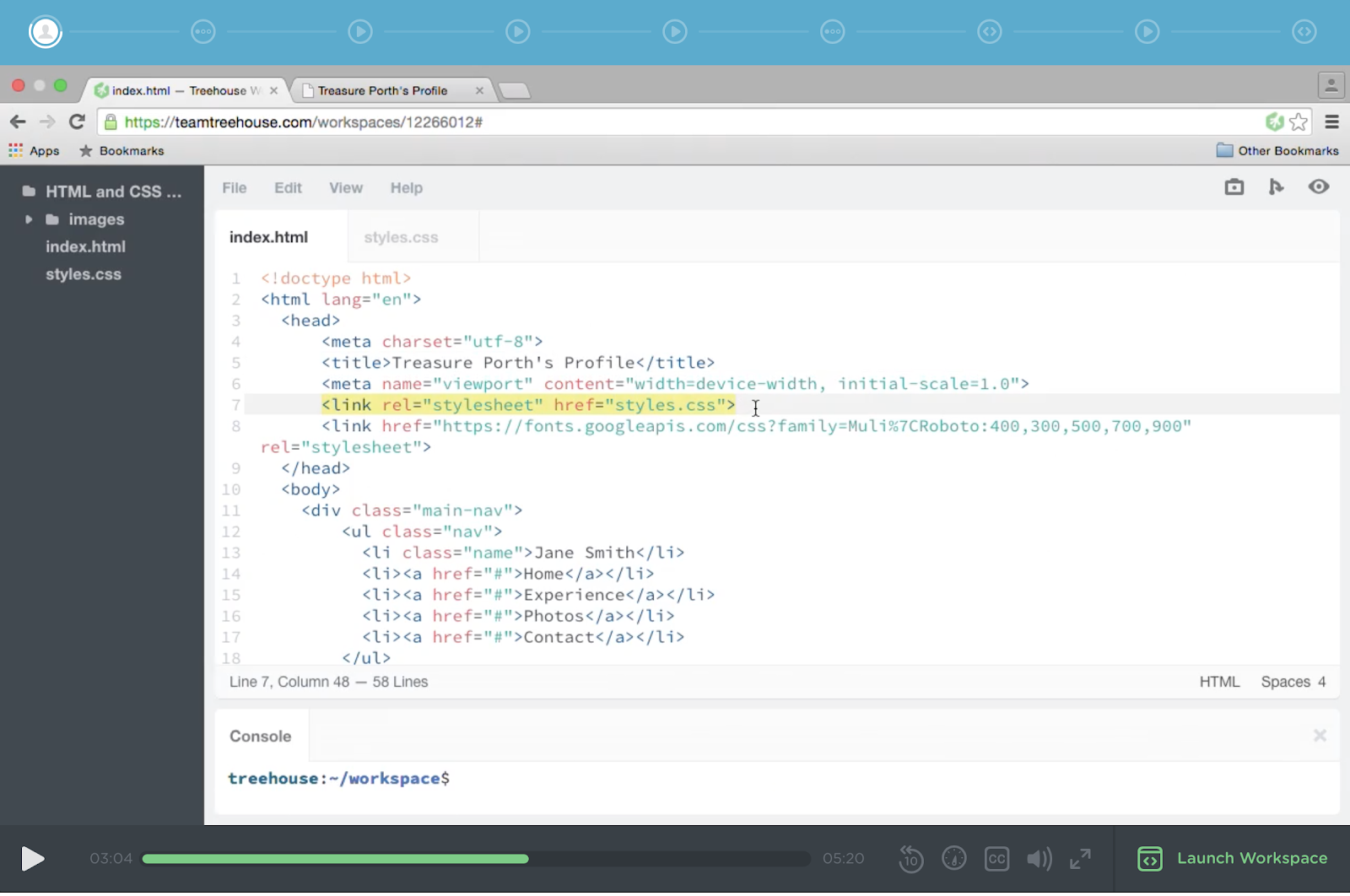
<link> tags connect to css and javacript files
<meta> provides information that is used by browsers and search engines
BODY
<body>
<header> often provides information on company logo, purpose of site, name, main navigation menu
<main>
<footer>
IMG tag often has attributes that provides additional information which provides instruction for the browser
Example: src / alt/ class
Class: control elements on how things are styled
SRC and ALT are necessary
src attribute points to a file pack to the location of the image files
Alt … means alternative text which requires a precise description - if image path is broken or image is unavailable
*self closing tags do need a closing tag like <img> tags
ANCHOR TAGS <a></a> … whatever is between them is clickable
BUT nothing happens till you add “href” which stands for.. Hyperlink text reference
HTML Lists
ul : unordered lists
ol : ordered lists
